Firebase
Firebase SDK (firebase-analytics and firebase-config) is used for analytics and remote config for tests and settings.
Firebase Connection
To connect your Firebase account, follow the steps below.
Step 1. Import Firebase
Firebase SDK is already included in Appodeal SDK (firebase-analytics and firebase-config). You don't need to install it separately.
Complete all the steps from our integration guide. Make sure to integrate Firebase distributed via Appodeal SDK.
Step 2. Configure Firebase App
You may follow this guide to configure your Firebase app.
- Add classpath qualifier to buildscript → dependencies into your app level build.gradle file.
buildscript {
    dependencies {
        // ... other project dependencies
        classpath("com.google.gms:google-services:4.3.10")
    }
}
- Connect Google Services plugin to your module
plugins {
    // ... other project dependencies
    id("com.google.gms.google-services")
}
- Add your
google-services.jsonfile into the module (app-level) directory of your app from Firebase console.
Step 3. Set Up Firebase Remote Config In Attribution Settings (Optional)
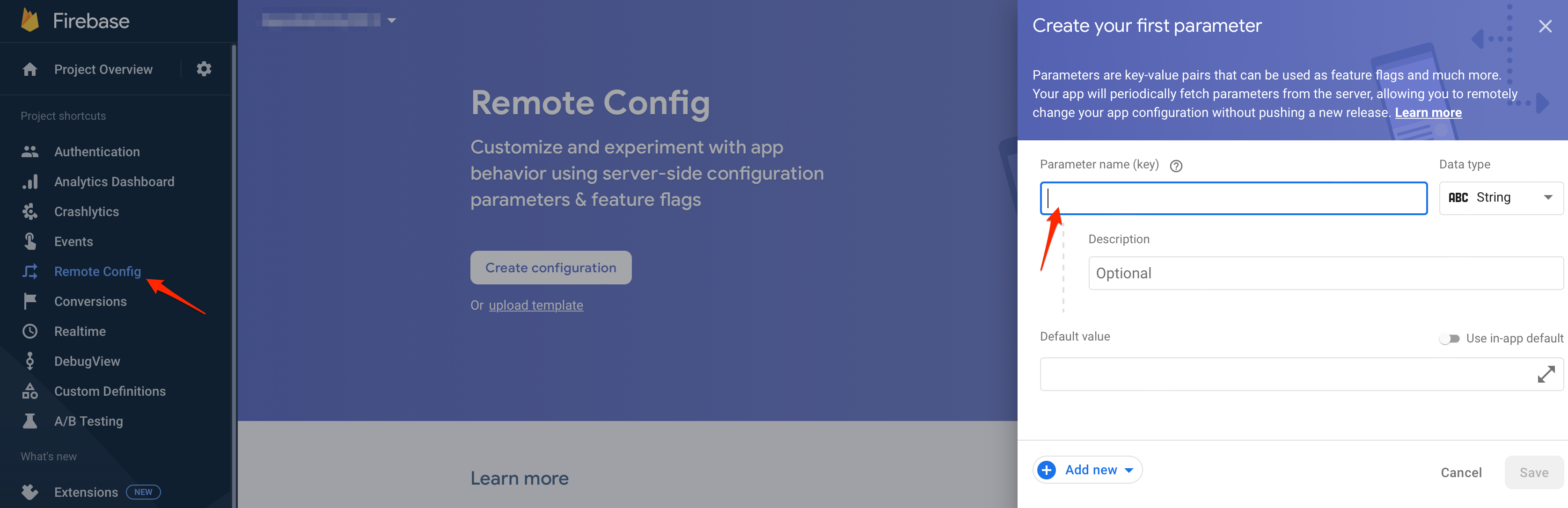
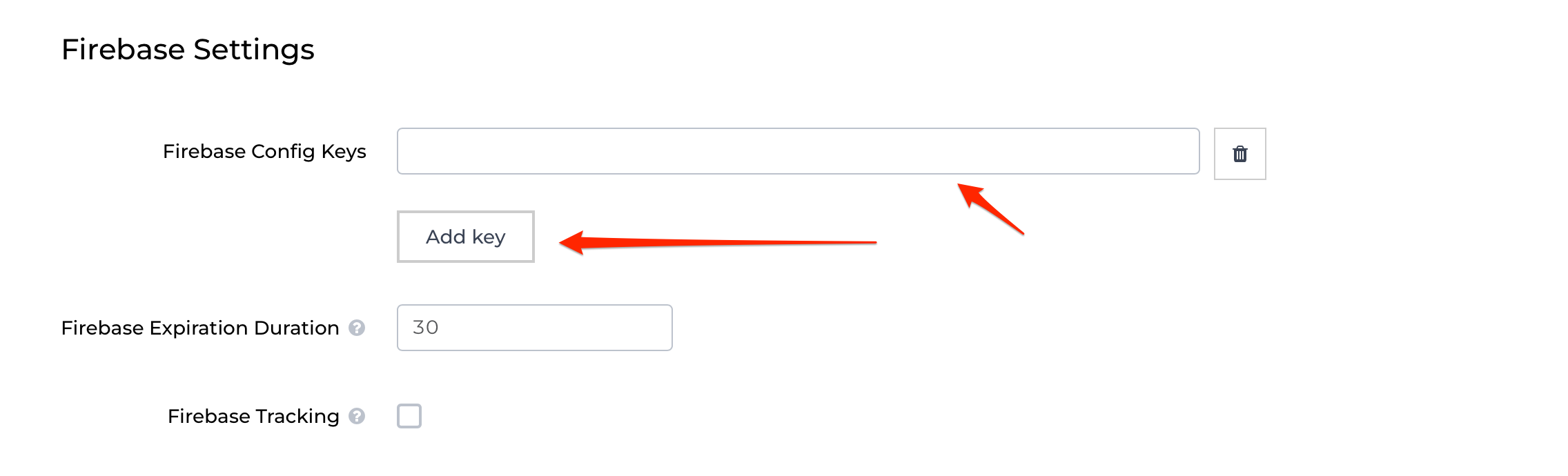
If you want to use Firebase Remote Config in your app, you can add your Firebase parameter keys from Firebase console -> Project name -> Remote Config to Firebase Config Keys in Attribution Settings.
Step 4. Enable Firebase Tracking In Attribution Settings
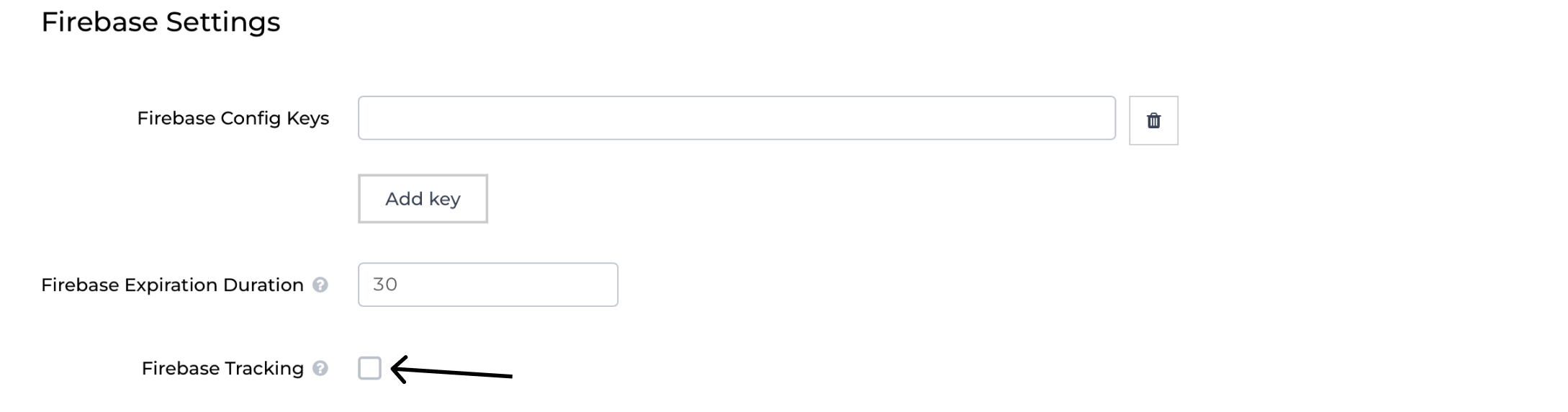
To enable sending events to Firebase SDK, you need to enable Firebase Tracking in Attribution Settings.
Demo Application
You can use our demo analytics app as a reference project.
Track In-app Purchases
Tracks in-app purchase information and sends info to Appodeal servers for analytics. It allows users to group by the fact of purchasing in-apps. This will help you adjust the ads for such users or turn them off if needed. In order to track in-app purchases, please refer to this guide
Event Tracking
Appodeal SDK allows you to send events to analytic services such as:
In order to setup event tracking please refer to this guide.